IPTV Catch-Up TV and VOD: Never Miss a Show in Canada
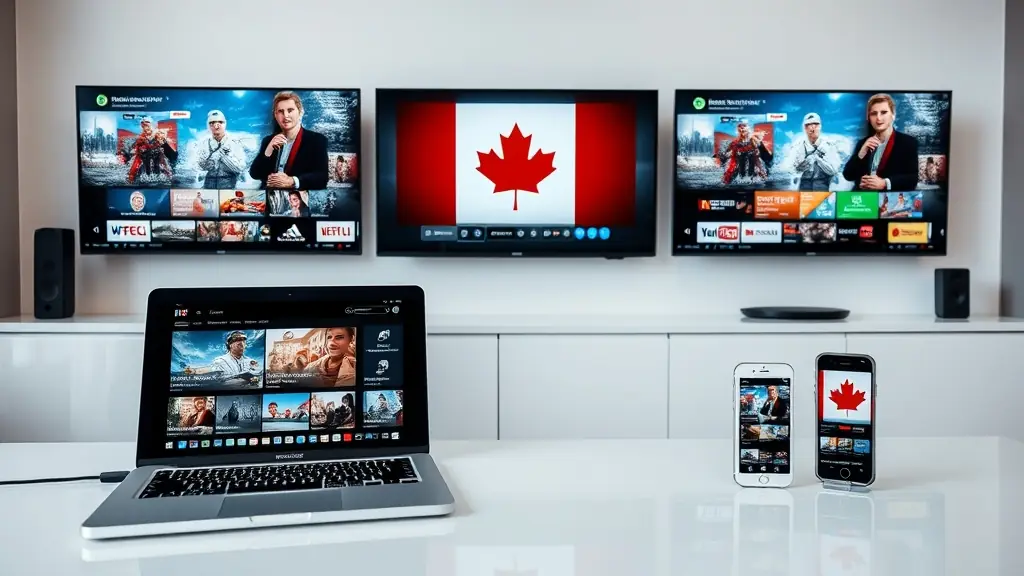
One of the most common concerns people have before switching from cable to IPTV is the fear of missing something. With a cable PVR, you can schedule recordings and watch them later. You press record on the Leafs game before heading out, come home, and watch it from the start. That safety net is familiar and comfortable. The thought of losing it makes some Canadians hesitate.
Here is the good news: modern IPTV does not just match that PVR functionality — it surpasses it. Catch-up TV and Video on Demand (VOD) are built into quality IPTV services, and together they ensure you never miss a single show, game, or movie. No separate hardware required. No monthly PVR rental fee. No storage limits.
What Is Catch-Up TV and How Does It Work?
Catch-up TV is exactly what the name suggests — it lets you "catch up" on content that has already aired on a live channel. If a program broadcast three hours ago, yesterday, or even several days back, catch-up lets you start watching it from the beginning as though it were an on-demand recording.
With CanadaIPTV, catch-up TV covers up to 7 days of content on supported channels. That means if today is Saturday and you missed a show that aired on Tuesday evening, you can still pull it up and watch the entire thing. It functions like having a PVR that automatically records everything on thousands of channels simultaneously — except there is nothing to set up, nothing to schedule, and no storage to manage.
Here is how it works technically: the IPTV provider's servers continuously record and store live channel feeds. When you access a channel's catch-up library, you are browsing through that server-side archive. You select the program you want, and it streams to your device on demand. The experience feels identical to selecting a show on Netflix — you pick it, it plays.
Accessing Catch-Up TV on Your Device
The catch-up interface varies slightly depending on which IPTV app you use, but the general process is the same across platforms:
On Firestick or Android box apps (TiviMate, IPTV Smarters, Flix IPTV): 1. Navigate to the live channel you want to check for catch-up content 2. Long-press or access the channel options menu 3. Select "Catch-Up" or "TV Archive" 4. Browse the available programs by date and time 5. Select a program and it begins playing immediately
On Smart TVs (Samsung, LG): 1. Open your IPTV app 2. Find the channel in your channel list 3. Look for a catch-up icon (usually a clock or rewind symbol) next to channels that support the feature 4. Access the program archive and select your show
On mobile devices (iOS/Android): 1. Open the IPTV app 2. Navigate to the channel 3. Access the catch-up/archive section 4. Select and stream
Not every channel supports catch-up — it depends on what the provider archives on their servers. However, major Canadian channels including Sportsnet variants, TSN feeds, CBC, CTV, and Global typically have catch-up enabled. Sports channels are particularly well-covered because providers understand that live sports are the content most often missed due to scheduling conflicts.
Practical Scenarios Where Catch-Up TV Saves the Day
You work late and miss the hockey game: The Oilers played at 7 PM Mountain Time but you did not get home until 9:30 PM. Pull up Sportsnet West in catch-up, start from puck drop, and watch the entire game. Skip intermissions if you want. No spoilers, no shortened highlights — the full broadcast.
Your kid's recital overlaps with your favourite show: You cannot be in two places at once, but you can be at the school auditorium and still watch your program later that evening through catch-up. No need to have set a recording before leaving — catch-up records everything automatically.
You forgot about a season premiere: That new series started on Tuesday and you completely forgot. Open catch-up on Saturday, find the channel, scroll back to Tuesday evening, and there it is.
Time zone differences: You live in British Columbia but want to watch a show that airs live at 9 PM Eastern. That is 6 PM Pacific — right when you are making dinner. Catch-up lets you watch the Eastern feed on your own schedule.
How VOD Works in IPTV
While catch-up TV handles live channel content you missed, Video on Demand (VOD) is an entirely separate library of movies and television series available to watch at any time. Think of VOD as having Netflix, Disney Plus, Amazon Prime Video, and Crave all rolled into a single library within your IPTV subscription.
CanadaIPTV's VOD library contains over 100,000 titles. That number is not an exaggeration — it encompasses:
Recent movies: Hollywood blockbusters typically appear in the VOD library shortly after their theatrical run ends. Action, drama, comedy, horror, science fiction, animation, documentary — every genre is represented.
Complete TV series: Binge-watch entire seasons of current and classic television series. From prestige drama to reality TV to sitcoms, the library covers a massive range of content.
International content: Bollywood films, Korean dramas, Turkish series, French cinema, anime — the VOD library reflects the diversity of Canada's population.
Documentaries: Nature, true crime, history, science, sports — documentary content runs deep in a well-stocked VOD library.
Kids content: Animated movies, children's series, and family-friendly programming for the younger viewers in your household.
Navigating the VOD Library
VOD content is typically organized into categories within your IPTV app. You will find sections for:
- New releases
- Movies by genre (Action, Comedy, Drama, Horror, Sci-Fi, etc.)
- TV Series (organized alphabetically or by genre)
- International content (by country or language)
- Kids and family
Most IPTV apps include a search function for the VOD library, letting you find specific titles quickly. Some apps also feature "Recently Added" sections that highlight the newest content added to the library, making it easy to discover fresh material.
The VOD experience closely mirrors what you are used to from mainstream streaming platforms. Select a title, read a brief synopsis, and press play. For TV series, you select the season and episode. Playback controls include pause, rewind, fast-forward, and subtitle toggling where available.
Catch-Up TV + VOD: Replacing Your Entire Entertainment Stack
Consider what a typical Canadian household pays for entertainment content:
- Cable TV (Rogers/Bell/Telus): $90 to $140/month
- PVR rental for recording shows: $15/month
- Netflix: $17 to $23/month
- Disney Plus: $10 to $15/month
- Crave (for HBO content): $20 to $22/month
- Amazon Prime Video: $10/month
That stack runs $162 to $225 per month, or roughly $1,950 to $2,700 per year.
A single IPTV subscription with catch-up TV and VOD included costs $5 to $8 USD per month on an annual plan. That is $60 to $96 USD per year. You get live TV (19,000+ channels), catch-up (7 days of archived content), and VOD (100,000+ titles) — all in one subscription, on all your devices, with no contracts or equipment rentals.
The savings are not marginal. They are transformational. A family saving $2,000 per year on entertainment costs can redirect that money toward anything — savings, vacations, their children's education, or simply reducing financial stress.
Tips for Getting the Most Out of Catch-Up and VOD
Use catch-up for sports, VOD for everything else: Live sports are time-sensitive — you want to watch them before someone spoils the score. Use catch-up to watch missed games as soon as possible. For movies and series, the VOD library is always there and content does not expire on a 7-day window.
Check catch-up availability on your must-watch channels: Not all channels have catch-up enabled. When you first set up your IPTV service, check which of your favourite channels support catch-up so you know what is available.
Explore the VOD library regularly: New content gets added frequently. Make it a habit to browse the "Recently Added" or "New Releases" section once a week to discover fresh titles.
Use a wired connection for VOD: VOD content, especially movies, benefits from a stable connection. If you experience buffering during movies, try connecting your device via Ethernet cable rather than WiFi. Our buffering guide has additional tips.
Multi-device flexibility: Watch catch-up content on your TV at home and switch to VOD on your phone during your commute. Your IPTV subscription works across all your devices, making it easy to fit entertainment into any moment.
Catch-up TV and VOD together represent one of the most compelling reasons to choose IPTV over traditional cable. You get more content, more flexibility, and more control over your viewing schedule — all while paying a fraction of what cable and streaming subscriptions cost combined. Visit our pricing page to see current CanadaIPTV plans and start watching on your own terms.
Ready to Start Streaming?
Join thousands of Canadians enjoying premium IPTV with 19,000+ channels.
Related Articles
 Guides
What Is IPTV? Meaning, Definition and 40+ IPTV Terms Explained
From M3U playlists to HEVC codecs, this glossary breaks down every IPTV term you will encounter as a Canadian cord-cutter. Plain English, no jargon walls.
Read More: What Is IPTV? Meaning, Definition and 40+ IPTV Terms Explained Setup
SetupBest IPTV Player Apps for Firestick, Android & Mac in Canada (2026)
Five IPTV apps tested on Firestick for Canadian users. Here is how Smarters, TiviMate, XCIPTV, Perfect Player, and Kodi compare in 2026.
Read More: Best IPTV Player Apps for Firestick, Android & Mac in Canada (2026)GuidesWhat Is IPTV? Meaning, Definition and 40+ IPTV Terms Explained
From M3U playlists to HEVC codecs, this glossary breaks down every IPTV term you will encounter as a Canadian cord-cutter. Plain English, no jargon walls.
Read More: What Is IPTV? Meaning, Definition and 40+ IPTV Terms Explained