IPTV 4K in Canada: Live 4K Channels, Sports and Ultra HD Streaming
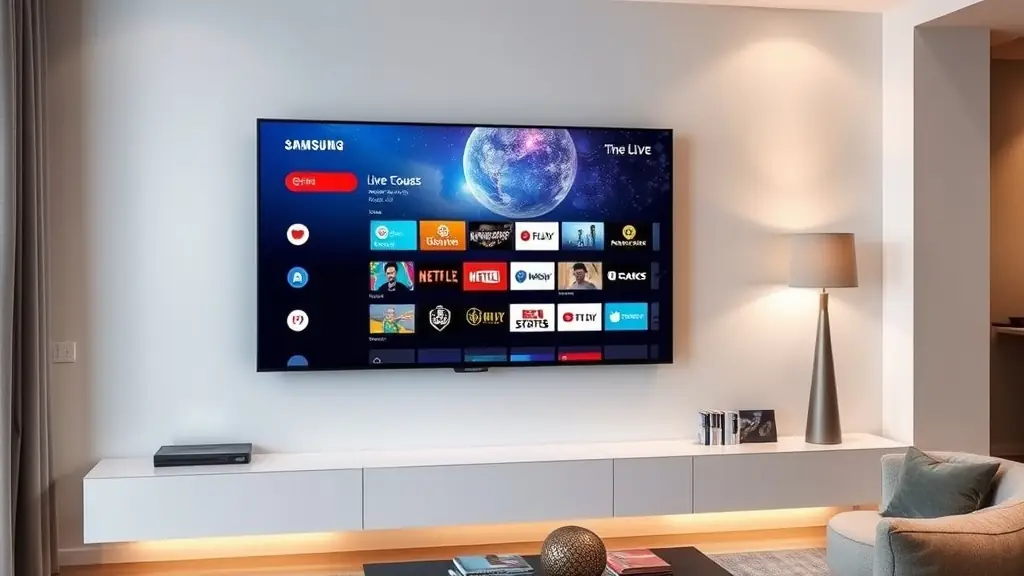
The jump from standard definition to HD transformed how Canadians watched television. Suddenly you could see the puck in hockey, read the score bug without squinting, and appreciate cinematography in a way that fuzzy 480p never allowed. The jump from HD to 4K Ultra HD is equally dramatic. Four times the pixel count of 1080p Full HD, 4K delivers a picture so sharp and detailed that it fundamentally changes the viewing experience — especially on screens 50 inches and larger, which are now the norm in Canadian living rooms.
IPTV providers have been steadily expanding their 4K channel offerings, and Canadian viewers are increasingly asking what is available, what equipment they need, and whether their internet connection can handle it. This guide covers everything you need to know about streaming IPTV in 4K resolution in Canada.
What 4K Actually Means
4K refers to a horizontal display resolution of approximately 4,000 pixels. The most common 4K standard for consumer television is 3840 x 2160 pixels, officially called Ultra HD or UHD. This is exactly four times the resolution of 1080p Full HD (1920 x 1080).
In practical terms, 4K means more detail, sharper edges, richer colours (especially with HDR — High Dynamic Range), and a more immersive picture. Close-up shots of faces show individual pores and hair strands. Aerial shots of landscapes reveal textures invisible at lower resolutions. Sports broadcasts show the grain of the grass on a football pitch and the stitching on a hockey puck.
The difference is most noticeable on larger screens. On a 32-inch TV viewed from across the room, 4K and 1080p are difficult to distinguish. On a 55-inch or 65-inch TV — sizes that now dominate Canadian electronics retailers — 4K is a visible, meaningful upgrade. On a 75-inch or 85-inch screen, the difference is night and day.
Internet Speed Requirements for 4K IPTV
Streaming 4K content demands significantly more bandwidth than HD. A single 1080p HD IPTV stream uses roughly 5 to 8 Mbps. A 4K stream uses 15 to 25 Mbps depending on the encoding quality and whether HDR is included.
For a household streaming a single 4K channel with no other internet activity, a 25 Mbps connection technically works but leaves zero headroom. The recommended minimum for comfortable 4K IPTV viewing is 50 Mbps. This gives you enough bandwidth for one 4K stream plus normal household internet use — phones on WiFi, someone browsing the web, a smart home device pulling updates.
If your household runs multiple simultaneous IPTV streams (as most families do), the bandwidth math scales accordingly. Two 4K streams need 50 Mbps of dedicated bandwidth. Add in regular internet usage and you want 75 to 100 Mbps total. Three or more 4K streams push the recommendation to 100 Mbps or higher.
The good news for Canadian viewers is that fibre and cable internet plans have kept pace. Bell Fibe offers plans up to 3 Gbps in major markets. Rogers Ignite goes up to 1.5 Gbps. Telus PureFibre delivers gigabit speeds in Western Canada. Even mid-tier plans from these providers typically offer 150 to 300 Mbps — more than enough for multiple 4K IPTV streams.
Rural Canadians on DSL, fixed wireless, or satellite internet face more limitations. Starlink delivers 50 to 200 Mbps, which can handle 4K streaming in most cases but with less consistency than wired connections. Traditional DSL in rural Ontario, Quebec, or the Maritimes may max out at 25 to 50 Mbps, making 4K streaming possible but tight. If your connection falls in this range, our buffering troubleshooting guide offers optimization tips.
Compatible Devices for 4K IPTV
Not every device can display or decode 4K content. You need hardware that supports 4K output and has enough processing power to handle the higher bitrate streams.
Amazon Fire TV Stick 4K / 4K Max: The most popular IPTV device in Canada, the 4K variants of the Firestick support full 4K HDR output. The regular Fire TV Stick (non-4K) is limited to 1080p. Make sure you have the 4K version. Setup is covered in our Firestick guide.
Android TV Boxes: Higher-end Android boxes with Amlogic S905X4 or S922X processors handle 4K decoding smoothly. Budget boxes with older processors may struggle. Look for boxes explicitly marketed as 4K-capable with at least 4GB of RAM.
Apple TV 4K: Apple's streaming box supports 4K HDR and Dolby Vision. It runs IPTV apps available through the App Store and delivers a premium viewing experience.
Samsung and LG Smart TVs: Any Samsung or LG smart TV from 2018 onward with a 4K panel can display 4K IPTV content natively. The built-in processor handles decoding without external hardware. See the Smart TV setup guide for configuration details.
Nvidia Shield TV Pro: Considered the gold standard for Android-based streaming devices. It handles 4K HDR with AI upscaling, meaning even non-4K content looks better.
HDMI Cable: This is frequently overlooked. You need an HDMI 2.0 or HDMI 2.1 cable to carry 4K signals from your device to your TV. Older HDMI 1.4 cables max out at 4K at 30fps, which produces visible judder during sports. HDMI 2.0 supports 4K at 60fps, which is what you want.
What 4K Content Is Available on IPTV
4K content on IPTV falls into several categories, and the availability has been expanding rapidly.
Sports in 4K: This is where 4K shines brightest. Select NHL games, Premier League matches, NFL games, and major international events are broadcast in 4K. The detail is transformative for sports — you can track the puck in hockey, follow the ball in football, and see individual player expressions during replays. TSN and Sportsnet have begun 4K broadcasts for select Canadian sports content. Sky Sports in the UK leads the world in 4K sports broadcasting with dedicated 4K channels for Premier League and F1. These are all available through IPTV.
Movies and Premium Content: HBO, Showtime, and other premium networks broadcast select content in 4K. Major movie releases in the VOD library are increasingly available in 4K with HDR. Nature documentaries — the traditional showcase for 4K quality — look absolutely stunning, with productions from BBC Earth and National Geographic leading the way.
Live Events: Major live events including World Cup matches, Olympics coverage, and championship boxing and UFC events are increasingly produced in 4K. As broadcast infrastructure upgrades globally, more live content moves to 4K each year.
Standard Channels in 4K: A growing number of channels have launched dedicated 4K variants. These run alongside their HD counterparts and broadcast the same content at higher resolution. The 4K channel count in any IPTV lineup is still a fraction of the total — perhaps 50 to 100 channels out of 19,000+ — but the number grows with each passing quarter.
The HDR Factor
Resolution is only half the picture quality equation. HDR (High Dynamic Range) is equally important and arguably more visually impactful. HDR expands the range of colours and brightness levels a display can show, producing deeper blacks, brighter whites, and a wider colour palette.
4K content with HDR looks dramatically better than 4K without it. A sunset scene that looks flat and washed out in standard dynamic range becomes vivid and lifelike with HDR. Dark scenes in movies that were previously murky become detailed and atmospheric.
Most 4K content through IPTV includes HDR when the source broadcast supports it. Your device and TV both need to support HDR for the benefit to reach your eyes. All current 4K smart TVs from Samsung and LG support HDR10 at minimum, with many supporting Dolby Vision and HDR10+ for even better results.
Optimizing Your Setup for 4K
A few adjustments ensure you get the best possible 4K picture through IPTV.
Use Ethernet, Not WiFi. 4K streams are more demanding and more sensitive to network fluctuations than HD. A wired ethernet connection from your router to your streaming device eliminates WiFi interference, signal drops, and bandwidth competition from other devices. If running a cable is not practical, a powerline ethernet adapter or mesh WiFi system with a dedicated backhaul band is the next best option.
Match TV Settings. Ensure your TV's input is set to handle 4K signals. Some TVs default to 1080p on certain HDMI ports. Check your TV's settings for "HDMI UHD Color," "Enhanced Signal," or similar options and make sure they are enabled on the port your streaming device is connected to.
Update Your App. Make sure your IPTV player app is updated to the latest version. Older app versions may not support the codecs needed for 4K streams, particularly HEVC (H.265), which is the standard compression format for 4K content.
The Future: 8K and Beyond
8K resolution (7680 x 4320 pixels) is the next frontier, offering 16 times the resolution of Full HD. Samsung and LG already sell 8K TVs in Canada, and Japan's NHK broadcast the 2024 Olympics in 8K. However, 8K content remains extremely rare, bandwidth requirements are enormous (80 to 100 Mbps per stream), and the visual difference over 4K is marginal at normal viewing distances on screens under 85 inches.
For Canadian IPTV viewers, 8K is a future consideration rather than a present reality. The current focus is on expanding 4K HDR content, which already delivers a transformative viewing experience over HD. As Canadian internet infrastructure continues to improve — with fibre rollouts expanding into suburban and rural areas — 4K IPTV will become the standard viewing experience rather than a premium upgrade.
For now, 4K through IPTV offers Canadian viewers the highest quality television experience available, at a price that makes cable and satellite look like relics of another era. Check the channels page to see which 4K channels are available, and visit pricing to get started.
Ready to Start Streaming?
Join thousands of Canadians enjoying premium IPTV with 19,000+ channels.
Related Articles
 Guides
Best IPTV Canada 2026: How to Choose the Best Canadian IPTV Service
Everything Canadians need to know about choosing the best IPTV provider in 2026 — channels, pricing, devices, sports coverage, and setup steps.
Read More: Best IPTV Canada 2026: How to Choose the Best Canadian IPTV Service Guides
IPTV Troubleshooting: Fix Buffering, Freezing, and Black Screens
Streams buffering or freezing? This step-by-step troubleshooting guide covers every fix from DNS changes to hardware upgrades for Canadian IPTV users.
Read More: IPTV Troubleshooting: Fix Buffering, Freezing, and Black Screens Setup
SetupBest IPTV Player Apps for Firestick, Android & Mac in Canada (2026)
Five IPTV apps tested on Firestick for Canadian users. Here is how Smarters, TiviMate, XCIPTV, Perfect Player, and Kodi compare in 2026.
Read More: Best IPTV Player Apps for Firestick, Android & Mac in Canada (2026)